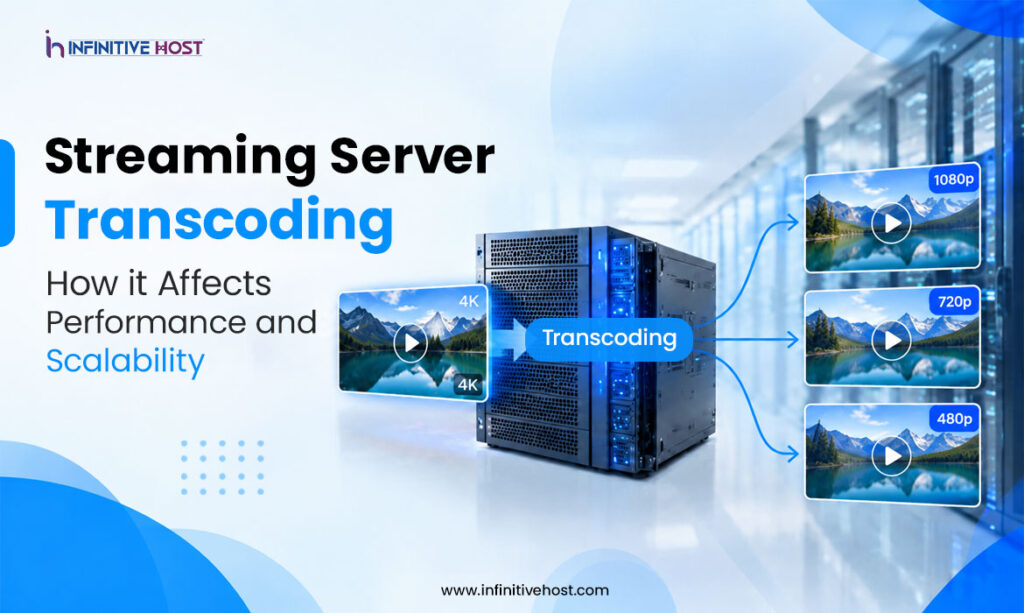
High-quality video is not a lucky result of a process; it needs preparation and optimization. Any live event or on-demand content that you see was processed beforehand, and this is where either performance was gained or lost. Streaming server transcoding is the process of transforming one file of a video into several resolution, bitrate, and format versions. It is one of the most resource-intensive actions in the life of any media server, requiring constant resources of CPU, GPU, memory, and bandwidth.
If your server infrastructure does not cope with this task, the users will definitely feel it through lagging, low quality, and buffering. This guide explains how streaming server transcoding influences server performance, what makes it slow, and how to optimize it.
Streaming Server Transcoding Defined
Transcoding is the act of decoding a video stream and encoding it into a new format, resolution, or bitrate. In reality, however, streaming server transcoding involves taking one good-quality input, like RTMP or SRT at 1080p, and creating an adaptive bitrate ladder (like 1080p, 720p, 480p, and 360p), ready for HLS or DASH delivery. The viewer’s player chooses among these renditions based on the internet connection.
This entire chain of operations is done by a special server called a transcoding server all day long. It starts with ingesting the video content, decoding each video frame, scaling the decoded frame, encoding it using H.264, HEVC, or AV1 codec, and passing the result up to the delivery layer. All these steps require CPU or GPU computations, memory, and network bandwidth. Thus, transcoding is what mostly defines streaming performance.
Why Transcoding Is So Resource-Intensive
Encoding video is computationally intensive. Contemporary video codecs use frame-to-frame motion analysis to predict pixels, then compress that prediction, and the better the compression, the more powerful the machine required to do the job. When you multiply that by several versions of each stream and many streams all at once, streaming server transcoding can overwhelm even the most robust machines.
The primary resource considerations include:
- Load on CPU: Software-based video encoders such as x264/x265 will pin every CPU core of the server during encoding with preset quality settings.
- Limitation on GPU resources: The hardware encoders (NVIDIA NVENC) take the burden, however, the number of sessions supported by each card is limited.
- Memory requirement: Decoded frames buffer becomes significant at 4K resolution.
- Disk/net IO: Streaming segments are constantly written out and transmitted to origin or CDN tiers.
Whenever any of these sources becomes scarce, the consequences are frame drops, increased latency, segment stalling, and user buffering.
Transcoding for Live Streaming vs. VOD
Transcoding for live streaming is much more unforgiving than traditional file encoding. The encoder in a live stream needs to operate in real time, meaning that if encoding does not match the input frame rate, the stream will lag or drop frames and there will be no chance of catching up. Live streams require low and consistent latency, making optimization for efficiency more difficult.
On-demand transcoding has more flexibility. A VOD task can proceed at a speed lower than real-time, employ multi-pass encoding, and be done in an idle capacity period. An optimized Live Streaming VOD transcoding architecture can ensure a proper separation of these two types of tasks so that no heavy file-based tasks will take away computing power from live stream processing. Many providers have dedicated live pools in addition to a queued VOD pool so that a huge batch of tasks will not affect the quality of a live stream.
The Key Performance Impacts
Latency. Each streaming server transcoding step introduces some level of latency. The complicated encoder settings, larger values of GOP, and longer segments increase the end-to-end latency. This is crucial for sports, auctions, and other interactive events.
Limits on concurrency. There is a limit to how many streams one server can simultaneously transcode. Without appropriate capacity planning, any spike in traffic or influx of new broadcasters will saturate the server and slow down the existing streams too.
Quality vs. Speed. Fast presets require less processing but create bigger files or less quality for the same bitrate. Slow presets offer higher quality but cost more in processing. The art of balancing these factors is key to configuring a video transcoding server.
Bandwidth. A higher number of renditions means higher bandwidth usage between origin and CDN.
How to Optimize Transcoding Performance
You can minimize the strain without compromising on the viewing experience:
- Hardware acceleration. Graphics processing units and other accelerators have far higher throughput when it comes to streams per server than software encoding.
- Bitrate ladder trimming. Not all streams will require six renditions. Make sure the ladder matches the devices and bandwidth of the target audience.
- Preset selection. Pick faster presets for live streams and slower, higher-quality presets for VOD streams which aren’t time-sensitive.
- Pass-through. If the source is identical to the target profile, then don’t re-encode the rendition.
- Keep monitoring. Check CPU and GPU utilization, the encoding speed ratio, and dropped frames to be able to scale before users start facing problems.
- Horizontal scaling. Distribute the streams across several nodes so that in case of failure or spike on one node the whole system won’t go offline.
Combined, these techniques ensure that streaming server transcoding is predictable and cost-effective despite increasing numbers of users.
Why Server Location Matters
The location of the transcoding is important for ingest quality, latency, and delivery speed. When you place the transcoding near your broadcasters and viewers, you reduce both distance and packet loss.
- A New York streaming server for video transcoding would be perfect for serving customers on the US East Coast as well as for contributions from news, financial, and sports producers.
- A Los Angeles streaming server for media processing will be ideal for West Coast-based studios and entertainment material.
- Montreal streaming server for video platforms provides great connectivity for Canada and for the bilingual community, as well as great intermediate point for North America.
- There is a London streaming server for European streaming where transcoding is closer to the UK and EU audiences.
Doing your streaming server transcoding in multiple locations here means that you can ingest, process, and distribute locally, which makes things more efficient and reliable.
Choosing the Right Infrastructure Partner
Hardware alone is not enough in order to achieve transcoding performance. In addition to hardware, you should have the correct network, support, and configurations. Infinitive Host offers high-performance servers that are tailored to handle intensive media tasks, with various locations that cater to major streaming regions. No matter whether you require a dedicated server for your live ingest, GPU-powered server for extensive encoding, or a multi-location server for delivery across the world, Infinitive Host is ready to help you create a setup where streaming server transcoding will become a smooth process.
The following features that your chosen hosting provider should offer include guaranteed bandwidth, up-to-date CPUs and GPUs, low latency routing, and fast scalability.
Final Thoughts
Video transcoding is the mechanism that runs video streaming today, but this is also the most typical failure point when capacity planning is lacking. Your latency, concurrency constraints, video quality, and cost depend on the streaming server transcoding, and hence it must be intentionally designed. Isolate live from on-demand transcoding, consider using hardware-accelerated transcoding in cases where it makes sense, reduce your bitrate ladder, and locate your streaming server transcoding as near as possible to your end users.