There’s nothing that annoys people more than buffering. Three seconds into a rotating wheel, and they’re ready to run, often for keeps. Most of the time, people blame it on bandwidth, but the problem lies elsewhere. The problem lies in the storage. This is why the SSD vs HDD streaming server dilemma is closer to home than you imagine.
This is due to the fact that Infinitive Host, our broadcasting, OTT, and VOD clients always have one question for us: “Which is the best storage for streaming server configurations?” The answer is “It depends.” Not so much. Here’s why.
Why Storage Matters for Streaming
Every time the play button is pressed, your server starts the process of reading files from the disk. It is easy to do it with just a few users. But when you have thousands of users, and each one reads their different files, then your disk keeps moving all the time.
Streaming brings you an overload with continuous write and read operations of segments. Similarly, VOD libraries bring you an overload with big files and an uncertain number of viewers. Your choice of disk brings you the maximum possible overload in both cases.
HDD: The Reliable Workhorse
Disk storage units have existed for decades and continue to be useful. The major benefit of using HDDs is the low cost. You can buy HDDs with capacity up to 16TB and 20TB, which will be cheaper per terabyte than any SSD.
Nonetheless, HDDs are mechanical storage units, meaning that access in them is carried out mechanically. The speed of mechanical storage units is limited, so a standard HDD is capable of giving only 100-200 IOPS. When numerous people try to access various documents, heads start to move often, and the latency increases.
Nonetheless, HDDs may be utilized for archiving purposes, creating backups, and storing rarely used documents.
SSD for Video Streaming: Speed Without Compromise
The main benefit of a solid-state drive is the fact that it doesn’t have any moving parts; hence, there is no seek time delay. Good NVMe drive can achieve many MB/s.
For practical purposes, SSD for video streaming means:
- Quick start-up time because the initial segment is loaded very quickly.
- Efficient seeking in case viewers seek through the video.
- Consistent performance during thousands of streams.
- Low latency for live broadcasts.
- Higher reliability due to lack of mechanical failure points.
The biggest drawback here would be the cost per terabyte of storage. However, in case of any active content, the extra cost involved is self-supportive owing to less number of customer complaints.
SSD vs HDD Streaming Server: Side-by-Side
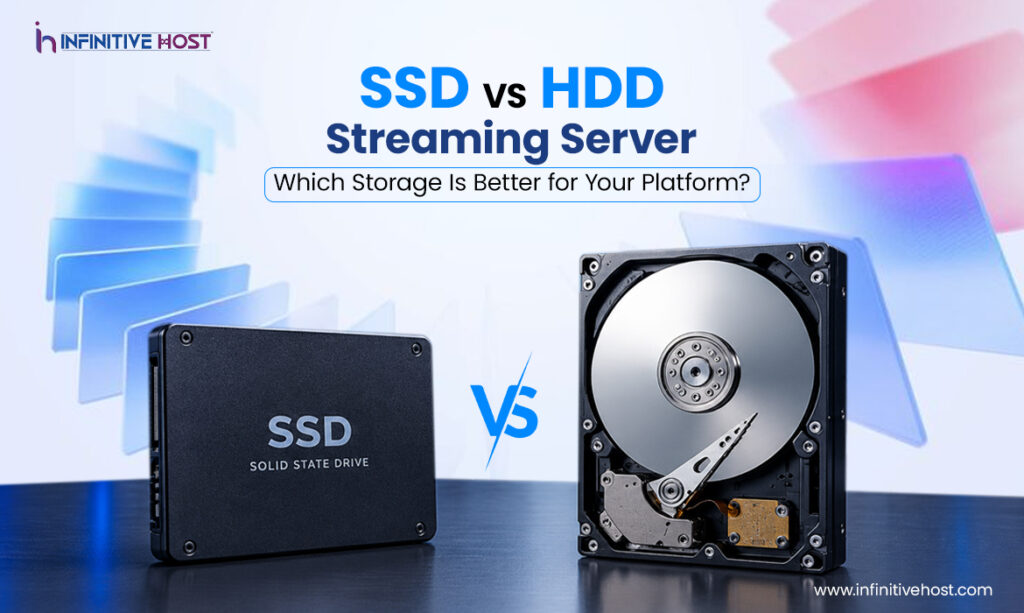
Here’s the SSD vs HDD streaming server comparison in simple terms:
- Speed: SSD wins by a wide margin
- Concurrent streams: SSD handles far more
- Cost per TB: HDD is cheaper
- Durability: SSD handles shocks and heat better
- Power use: SSD generally draws less
- Best use: SSD for active content, HDD for archives
However, when it comes to performance, choosing between an SSD vs HDD streaming server becomes a no-brainer. It becomes exciting only if you are on a budget and have a massive collection.
Location Matters Too
Fast drives will be useful, but distance will introduce latency. A combination of fast storage with correct regions is important.
- New York streaming server with fast storage. Suitable for East Coast North American viewers and one of the leading peerings.
- Los Angeles streaming server for media workloads. Good option for studios and content creators with Pacific coast focus.
- Montreal streaming server for VOD storage. Cost-effective and large-capacity VOD library suitable for Canada and northern USA.
- London streaming server for European media platforms. Gateway to UK and Europe with great connectivity.
Selecting between these regions can be equally as critical as the choice to use an SSD vs HDD streaming server. It is through these factors that the distinction between an ordinary platform and streaming servers for high-performance video delivery.
Matching Storage to Your Workload
Every platform doesn’t require the same build out. Our recommendations for each platform typically include:
- Live streaming: Go SSD, better yet NVMe. Livestreams require no latency at all.
- Popular VOD: Again, SSD is recommended. The 20% of content that generates 80% of the views should be stored here.
- Large catalogs: Hybrid is your best bet. Have your hot data on SSD and your long-tail data on HDD.
- Archives and backups: HDD will do. No one is waiting for that data right now.
This tiered approach is often the best storage for streaming server environments with big libraries and limited budgets.
What We Recommend
Before implementing a certain solution, begin with placing the NVMe SSD on the server located near your biggest market. Observe how the content is viewed during one or two months. If your library of media content keeps growing, then add some HDD space after the first stage for the old media.
Try not to purchase too much equipment at once, and also try not to neglect the speed factor. The expenses that come with buffering will be way higher than with purchasing an additional few SSDs. Whatever your choice may be concerning SSD vs HDD streaming server, try to choose the solution realistically.
The network and CPU also matter in this case, as it is useless to have an extremely fast SSD with a jammed port. Thus, pay attention to other aspects besides storage. The proper provider will help you with all calculations.
Conclusion
Therefore, which one is the best? In most cases, SSDs win. Not only is it faster, but it also provides greater reliability and is much more efficient when it comes to serving multiple viewers at once. Hard drives can be used to store data at low prices, but should never be the medium for live or popular content.
The right choice regarding SSD vs HDD streaming server will typically be a combination of SSD media server to serve viewed content and HDD media server to serve unviewed content. This, in addition to an efficiently placed server in New York, Los Angeles, Montreal, or London, will provide your viewers with optimal streaming experience.
Do you wish to begin construction? Infinitive Host can help you create your streaming server.